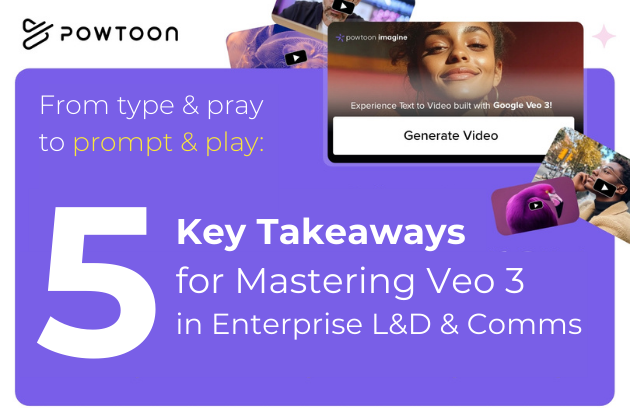
From Type and Pray to Prompt and Play: 5 Key Takeaways for Mastering Veo 3 in Enterprise L&D & Comms
Following our recent “Prompt and Play” webinar, here are the essential insights every L&D and communications team needs to transform their AI video strategy.
Enterprise teams are sitting on a goldmine. With Google Veo 3 and similar text-to-video AI models, the ability to create professional, story-based video content at scale is finally within reach. But here’s the challenge: most teams are stuck in “type and pray” mode – typing vague prompts and hoping for usable results.
After helping hundreds of enterprise customers master story-based video creation, we’ve identified the key principles that separate the professionals from the frustrated. Here’s what you need to know.
1. Veo 3 excels when you understand its four enterprise use cases
Before text-to-video AI, creating custom, professional video content required film crews, significant budgets, and made scaling nearly impossible. The cheaper alternatives left much to be desired for enterprise-grade communications.
Veo 3 unlocks four transformational capabilities:
Rapid Microlearning Creation
Instead of waiting weeks for video production, L&D teams can now create high-quality, short-form content in minutes. This means your training materials can stay current with rapidly changing processes and policies.
Hyper-Personalized Training
Global companies can leverage Veo 3’s native audio generation to create training in multiple languages with realistic lip-syncing. More importantly, you can generate role-specific variations – the same core training adapted for different departments, experience levels, or regional contexts.
Safe Simulation Training
Create realistic scenarios that are too dangerous, expensive, or impractical to film in real life. From safety compliance to soft skills like conflict resolution, you can now provide experiential learning without the risks.
Dynamic Internal Communications
Transform static HR announcements, policy updates, and leadership messages into engaging visual content that employees actually watch and retain.
The bottom line: This isn’t just about making video creation easier – it’s about fundamentally transforming how organizations communicate complex knowledge and drive behavior change.
2. Use Veo 3 for brand-specific content, not generic training
Not every video needs AI generation. Smart enterprise teams understand the strategic sweet spots where Veo 3 delivers maximum impact:
Use Veo 3 When You Need:
- Specific interactions showcased that generic stock footage can’t capture
- Brand-specific environments that reflect your actual office locations, dress codes, and company culture
- Rapid content creation for last-minute updates or time-sensitive messaging
- Cost-effective scaling across multiple languages, regions, or role variations
The Business Impact Is Real:
Our enterprise customers report consistent results:
- 70%+ reduction in video production costs vs. external agencies
- Speed transformation from weeks to hours for professional content
- Brand consistency across all departments and regions
- Tool consolidation replacing 5-8 separate AI tools with one unified platform
Strategic insight: The teams seeing the biggest wins aren’t just using Veo 3 as a cheaper alternative to traditional video – they’re using it to create content that was previously impossible to produce at scale.
3. Specific prompt details determine professional quality
Here’s the framework that turns Veo 3 from unpredictable to reliable for enterprise story-based video:
Scene Foundation
- Location Specificity: “Modern office” becomes “bright open-plan workspace with glass walls”
- Lighting Direction: Always specify – “natural daylight,” “warm interior lighting,” “cinematic dramatic”
- Camera Positioning: “Medium shot,” “over-shoulder,” “wide establishing shot”
Character & Action
- Role Clarity: “HR leader,” “diverse team,” “confident presenter” – be specific about who’s in your scene
- Action Flow: Define what happens sequentially – “walking toward,” “gesturing to,” “turning to face”
- Emotional Tone: “Professional warmth,” “focused concentration,” “celebratory energy”
Enterprise Polish
- Brand Assets: Include visual identity keywords to ensure correct color palettes and aesthetics
- Story Structure: Beginning, middle, end – even in 8-second clips
- Professional Quality Markers: “Steady camera,” “smooth transitions,” “crisp audio”
- Consistency Frameworks: Reusable prompt templates for common use cases
Real Example Transformation:
Before: “Training video about safety” After: “Bright manufacturing floor, safety supervisor in hard hat demonstrating proper equipment use to attentive diverse team, steady medium shot, professional instructional tone”
The difference: Specific, structured prompts that speak Veo’s visual language produce consistently professional results.
4. Don’t fight limitations, work around them
Professional AI video creation requires understanding limitations and working with them strategically:
Expectation Management
- Results may vary slightly between identical prompts – this is normal
- AI sometimes ignores prompt aspects – regenerate rather than settling for poor output
- Models evolve constantly – yesterday’s limitations may be gone, but prompts may produce different results
Enterprise-Specific Challenges
- Character Consistency: Appearance can vary across multiple clips – design workflows accordingly
- Brand Continuity: Requires specific prompting techniques for visual identity consistency
- Complex Scenes: Break complicated scenarios into simpler, focused prompts
Compliance and Accuracy
- Always fact-check: AI can “hallucinate” information – treat output as first draft requiring review
- Review for bias: Ensure content aligns with diversity and inclusion values
- Stay compliant: Understand your organization’s AI usage policies
Key principle: Embrace these limitations and design your workflows around them rather than fighting them.
5. Templates beat trial-and-error for consistent results
The gap between understanding these principles and implementing them successfully comes down to having the right tools and processes.
Ready-Made Templates
Rather than starting from scratch every time, successful teams use proven template frameworks for:
- New hire onboarding: Welcome sequences and company culture introduction
- Compliance training: Safety protocols and policy explanations
- Leadership messaging: Executive updates and strategic communications
- Product training: Feature demonstrations and best practices
NB: These templates will soon be available in your Powtoon workspace.
Automated Prompt Generation
The Powtoon AI Prompt Director guides teams step-by-step through creating professional prompts using these 10 principles. Instead of memorizing complex frameworks, teams can generate optimized prompts for any enterprise use case. We are giving access free during the Beta period and would highly recommend you try it.
Take the prompts from the AI Prompt Director, go to Powtoon and paste them into Text to video, or the script panel of an empty Powtoon, click generate and you will see the magic happen.
Your Next Steps
- Start with one use case and perfect it before scaling
- Always fact-check AI-generated content for accuracy
- Use the 8-second limit as a feature – perfect for microlearning modules
- Include brand elements in every prompt for consistency
- Test variations of successful prompts to build your template library
This is your moment to lead AI transformation
The gap between teams that master AI story-based video and those that struggle with it is growing every week. Early adopters are already seeing dramatic improvements in content creation speed, consistency, and engagement.
But this isn’t just about better video production – it’s about transforming how your organization communicates complex knowledge, drives behavior change, and scales learning across global teams.
The tools exist. The frameworks are proven. The question isn’t whether your organization will adopt AI video creation – it’s whether you’ll lead the transformation or be left behind by competitors who master it first.
Ready to move from “type and pray” to “prompt and play”? Watch the full webinar or download our complete Prompt Mastery Guide. The transformation starts with understanding these fundamentals and implementing them systematically across your team’s workflow.


Ilya Spitalnik
Latest posts by Ilya Spitalnik (see all)
- Powtoon’s Unified AI Video Platform: A New Era for Enterprise Visual Communication - December 17, 2025
- How AI Bridges Theory to Practice in Learning, Development and Communications - October 23, 2025
- From Type and Pray to Prompt and Play: 5 Key Takeaways for Mastering Veo 3 in Enterprise L&D & Comms - August 21, 2025
- Unboxed: 5 Ways Powtoon’s Unified AI Video Platform Is Transforming Enterprise Communication - July 1, 2025