Why Music and Sound Matter in Video
Music and sound shape how a video feels and how clearly it communicates. While visuals explain what is happening, audio guides how viewers interpret and remember what they see.
In explainer videos, training content, and social clips, sound helps set tone, reinforce meaning, and maintain attention. Used intentionally, audio turns motion into a coherent experience rather than a sequence of visuals.
How Music and Sound Support Communication
Music Sets the Emotional Context
Music signals emotion quickly. A calm track suggests clarity and confidence, while faster rhythms can signal urgency or excitement. Choosing the right music helps viewers emotionally align with your message before they consciously process the visuals.
Sound Effects Clarify Actions
Sound effects reinforce moments that matter. Subtle cues for transitions, interactions, or key events help viewers follow what is happening without adding visual clutter. When used sparingly, sound effects improve comprehension rather than distract from it.
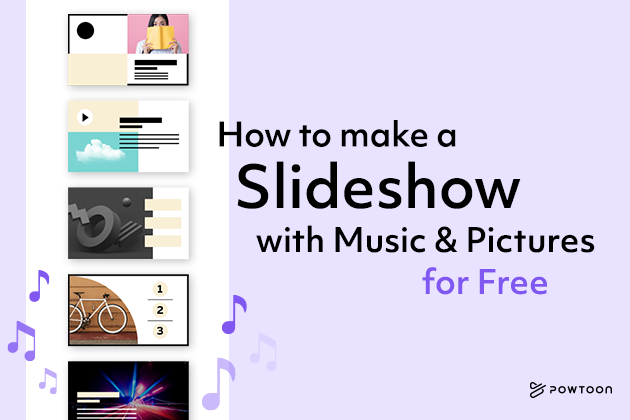
How to Add Music and Sound to a Video
Step 1 – Choose Your Audio
Start by selecting the type of audio your video needs. This can include background music, sound effects, voiceovers, or a combination of all three.
In Powtoon, creators can:
- Choose tracks from a built-in music and sound effects library
- Upload original audio files
- Use recorded or generated voiceovers
Previewing audio before adding it helps ensure it fits the tone and pacing of the video.
Step 2 – Place and Time the Audio
Once selected, decide whether audio should run across the entire video or only within specific scenes. Timing matters. Audio should start and end in a way that feels intentional and supports visual transitions.
Powtoon allows audio to be added to individual scenes or the full project, with timing adjustments available directly in the audio panel.
Step 3 – Upload and Reuse Your Own Files
If you are using original music or custom sound effects, upload them through the audio upload option. Uploaded files are saved to your personal library so they can be reused across future videos, helping maintain consistency.
Tips for Better Audio Decisions
- Match mood to message – Choose audio that supports the purpose of the video
- Be audience aware – Consider where and how viewers will watch
- Balance audio levels – Ensure music and effects never overpower speech
- Choose audio early – Selecting sound before final edits helps pace visuals naturally
These practices help audio feel integrated rather than layered on at the end.
Q&A: Music and Sound for Video Creation
Q – Why should I add music to my video?
Music sets emotional tone, supports narrative flow, and helps content feel intentional rather than static. It often improves viewer engagement and retention.
Q – When should sound effects be used?
Sound effects work best when reinforcing actions, transitions, or emphasis points. They should support understanding, not draw attention to themselves.
Q – Can I use my own music files?
Yes. Most video tools, including Powtoon, allow creators to upload and reuse original audio files alongside stock tracks.
Q – How do I keep audio balanced?
Adjust volume levels so voiceovers remain clear and music or effects stay supportive rather than dominant.
Expert Insight
“Audio is where meaning settles. When sound and visuals are aligned, viewers understand faster and remember longer,” says Powtoon’s Head of Product.
Final Thought
Music and sound are not finishing touches. They are part of how a video communicates.
By choosing audio intentionally and integrating it early in the process, teams can transform simple animations into experiences that feel clear, engaging, and complete. With Powtoon, adding and managing audio becomes part of a structured workflow rather than a last-minute task.



Hanna Abitbul
Latest posts by Hanna Abitbul (see all)
- What is Veo 3 and How Does It Work? - July 7, 2025
- Veo 3 vs. Sora by OpenAI: Side-by-Side Comparison for 2026 - June 26, 2025
- Veo 3 Cinematic Video Creation: Realism Without the Wait - June 25, 2025
- Veo 3 for Marketers: Creating Ads and Product Videos Faster with Powtoon - June 24, 2025