75 Free AI Credits: Jump-Start Your VEO 2 Journey
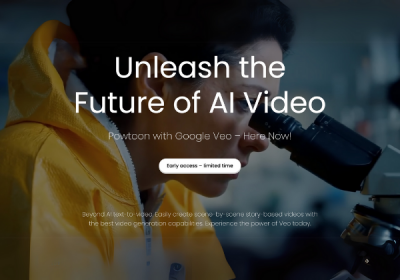
If you’re ready to jump into AI-powered video creation without spending a dime, Powtoon is giving every creator 75 free AI credits to explore VEO 2, our lightning-fast, text-to-video engine. Grab your credits today, experiment with smart automation, and you’ll be ahead of the curve when VEO 3 lands tomorrow.
Why 75 Free AI Credits Matter Right Now
Most AI tools give you a taste, then paywall everything else. This is different. With 75 free credits, you can actually build content that’s worth publishing. It’s a chance to test VEO 2 on real use cases—whether that’s brand videos, client work, or explainer content, without any upfront cost.
Hands-on creation
Create full scenes, complete with voiceovers, script pacing, and visual transitions. These aren’t placeholder features—you’re getting the real thing to test what VEO 2 can actually do.
No risk
There’s no payment, no subscription, and no commitment. You can experiment freely, try bold ideas, and see what lands before you decide to invest further.
Future-proof your process
VEO 3 builds on the same core structure. If you know how to work with VEO 2 now, you’ll move faster and more confidently when new features roll out.
Get results faster
AI scripting, scene generation, and voice syncing let you skip repetitive work. According to HubSpot, creators using AI save up to 80% of their production time, which means more content in less time.
How to Redeem Your 75 Free AI Credits
1. Log in or sign up
Head to Powtoon and log into your account, or create a free one if you’re new.
2. Redeem your 75 free credits
Apply the offer to instantly add the credits to your account balance.
3. Start creating with AI
Click “Create with AI,” choose “AI Text to Video,” enter your prompt, and watch your idea turn into usable, dynamic footage.
What You Can Create With VEO
VEO 2 makes it easy to turn your ideas into high-quality videos you can actually use.
- Product explainers (30–60 seconds): Show off what your product does with quick, clear videos that feel polished and on-brand.
- Customer onboarding walkthroughs: Turn setup guides into short, visual how-tos that new users will actually watch.
- Social ads and Instagram Reels: Create scroll-stopping content that’s sized and styled for your feed.
- Internal training videos: Make bite-sized clips to train your team without spending hours scripting and editing.
- Event teasers and webinar invites: Build hype with short, AI-generated promos that look professionally edited.
Tips to Maximize Your Credits
Make every credit count with these quick tips to help you get better results, faster.
- Start small: Begin with a simple 2–3 sentence script. Let VEO generate your first version, then refine from there.
- Use clear prompts: Tell the AI what you want. Mention tone, video length, and visuals to guide the output.
- Blend AI with templates: Once your video is generated, use Powtoon’s branded templates to polish the final look.
- Save your assets: Upload your logo and brand colors once. Reuse them across all your videos to keep things consistent.
- Track your credits: Your dashboard shows exactly how many generations you’ve used and how many you have left. No surprises.
Shorten Tomorrow’s Learning Curve, Today
Generative AI adoption skyrocketed in 2024. By testing VEO 2 now, you’ll glide into VEO 3 with confidence. Expect even smarter scene recommendations, deeper brand kit integration, and advanced voice cloning—skills you’ll already have under your belt.
Ready to transform ideas into videos in seconds? Grab your credits, start creating, and experience the fastest way to make professional videos with Powtoon.
FAQ
1. Do unused credits roll over to VEO 3?
Yes. Any credits you don’t use in VEO 2 will automatically carry over when VEO 3 launches. You won’t lose anything. This lets you experiment now without worrying about wasting credits, and you’ll already have a head start when the next version drops.
2. Can I use credits on existing videos?
Absolutely. You can open any of your existing Powtoon projects and apply credits to enhance them. This includes script rewrites, AI-generated visuals, voiceovers, avatars, and more. It’s a great way to upgrade older content without starting from scratch.
3. Will I be charged after the 75 credits are gone?
No surprise fees. Once your free 75 credits are used up, nothing is billed automatically. You can choose to purchase more credits whenever you’re ready. It’s totally up to you if and when you want to continue.
4. Where can I learn more about AI video best practices?

Fiona Bensadoun
Latest posts by Fiona Bensadoun (see all)
- VEO 3 Is Coming: What Powtoon Users Need to Know - May 20, 2025
- 75 Free AI Credits: Jump-Start Your VEO 2 Journey - May 20, 2025
- How to Automate Your Social Media Content with AI - February 12, 2025
- Transforming Learning & Development for 2025: Key Trends to Engage and Inspire - January 21, 2025