How Can Using an Animation Maker Help Education?
Animation is a powerful educational tool because it turns static information into dynamic visuals that support learning, retention, and engagement. Rather than relying only on text or lecture, animated content helps learners see processes, concepts, and narratives come to life visually — making complex ideas clearer and more accessible. Blue Carrot
Tools like Powtoon make creating animated educational content possible for teachers and students alike without requiring specialist skills, large budgets, or long production cycles. This empowers educators to enhance lessons and gives students opportunities to express understanding in creative ways.
Why Animation Matters in Education
Animation Boosts Knowledge Retention
Well-designed animation helps learners form mental models of concepts by showing movement, sequence, and interaction visually. This reduces the cognitive burden of abstract ideas and makes them easier to remember and explain later. Wikipedia
Animation Clarifies Complex Concepts
Many subjects involve processes that are difficult to convey through text alone, such as chemical reactions, cellular functions, or historical changes over time. Animation visualizes these processes step by step, helping learners grasp not just the “what” but the “how” and “why.” Times Higher Education (THE)
Animation Supports Diverse Learning Styles
Learners differ in how they absorb information. Visual and auditory learners benefit from animated explanations that combine visuals with narration. Animation also gives students control over pacing by allowing them to pause, review, or replay content. Educational Voice
How an Animation Maker Helps Educators
Create Custom Animated Lessons
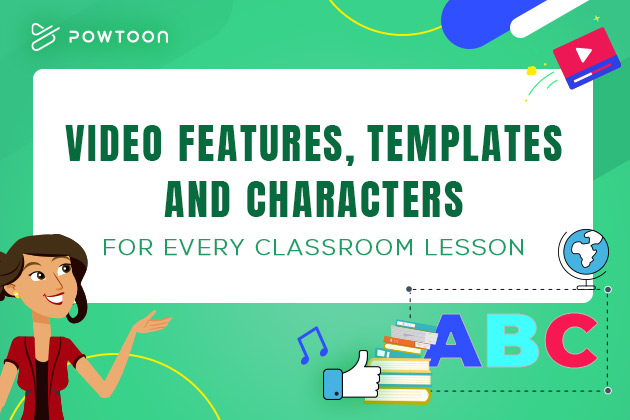
Using an animation maker, educators can build lesson content that matches their curriculum. Powtoon provides templates, characters, and motion presets so teachers can create animated explainer videos without needing advanced design or animation skills.
Illustrate Abstract or Dynamic Topics
Topics involving change over time, cause and effect, or spatial relationships are easier to teach when animated. Video animation makes static material active and helps students follow logic visually. Blue Carrot
Engage Students Actively
Animation grabs attention and sustains interest. This is especially important in today’s learning environments where video content competes with many distractions. Using animated video in lessons helps maintain focus and invites curiosity. Blue Carrot
Enable Student-Led Creation
Animation makers empower students to create their own videos as assessment or project work. When learners explain a topic by making an animated video, they deepen understanding and apply communication skills in practical ways. Educational Voice
Support eLearning and Remote Lessons
In online or hybrid learning models, animation helps bridge the physical separation between instructors and students by making video lessons more engaging and memorable. Animation adds visual structure to remote content that might otherwise feel static.
Step-by-Step Use in the Classroom
Step 1 – Identify Learning Objectives
Begin with a clear goal: what should students understand after watching the animation? This ensures animated content aligns with curriculum outcomes.
Step 2 – Choose the Right Style
Different concepts benefit from different animation styles (2D diagrams, motion graphics, characters, whiteboard logic). Think about whether the content needs storytelling, process demonstration, or data visualization.
Step 3 – Build With Purpose
Use an animation maker like Powtoon to assemble scenes, visuals, and narrative flow. Focus on clarity, pacing, and key takeaways rather than animation complexity.
Step 4 – Integrate Audio and Text
Adding voiceover or captions ensures both auditory and visual learners can access the content. Keep narration concise and text readable.
Step 5 – Evaluate and Iterate
Gather feedback from learners and refine animations over time. Reuse and update assets across lessons to build a cohesive visual library.
Best Practices for Educational Animation
- Align animation with learning goals
- Use visuals that represent key ideas, not decoration
- Keep scenes short and focused
- Support all learners with captions and clear narration
- Reuse visual metaphors to reinforce memory
Q&A: Animation and Education
Q – Why use animation instead of static slides?
Animation shows motion and relationships over time, which helps learners see how concepts unfold, rather than just read descriptions.
Q – Do I need technical skills to make educational animations?
No. Tools like Powtoon are designed for educators and students with no animation background, using drag-and-drop editors and templates.
Q – Does animation work for all subjects?
Yes. Animation is effective in science, mathematics, history, language, and social science because it illustrates processes, sequences, and abstract concepts visually.
Q – How does animation support remote learning?
Animation structures lessons visually and can be replayed on demand, which helps remote learners control pace and revisit challenging sections. Educational Voice
Expert Insight
“Animation turns abstract concepts into visual stories. When learners see how ideas connect in motion, comprehension and retention improve significantly,” says Powtoon’s Head of Product.
Final Thought
Animation is a teaching tool, not just a visual flourish. It helps learners see ideas, not just read them, and transforms static content into engaging learning experiences.
With tools like Powtoon’s animation maker, educators and students can create meaningful animated videos that enhance understanding, support diverse learners, and make education more dynamic without requiring deep technical or artistic skills.



Hanna Abitbul
Latest posts by Hanna Abitbul (see all)
- What is Veo 3 and How Does It Work? - July 7, 2025
- Veo 3 vs. Sora by OpenAI: Side-by-Side Comparison for 2026 - June 26, 2025
- Veo 3 Cinematic Video Creation: Realism Without the Wait - June 25, 2025
- Veo 3 for Marketers: Creating Ads and Product Videos Faster with Powtoon - June 24, 2025